
How to Build Your First Gaming PC in Sri Lanka – Step-by-Step Guide
A Beginner’s Guide to Building a Gaming PC in Sri Lanka
Building your first gaming PC in Sri Lanka is one of the most rewarding tech projects you can undertake. Not only do you save money compared to buying a pre-built, but you also understand exactly what’s inside your machine. This step-by-step guide will take you from zero to a fully working gaming rig.
Step 1: Plan Your Budget
Before buying anything, decide on your total budget in Sri Lankan Rupees. Common budget tiers in 2025: Rs. 80,000–100,000 for an entry-level build, Rs. 120,000–150,000 for a solid 1080p gaming build, and Rs. 200,000+ for a high-end 1440p setup.
Step 2: Choose Your Components
The core components you need are: CPU, GPU, Motherboard, RAM, SSD, PSU, and a Case. Here are trusted options available at Technodora:
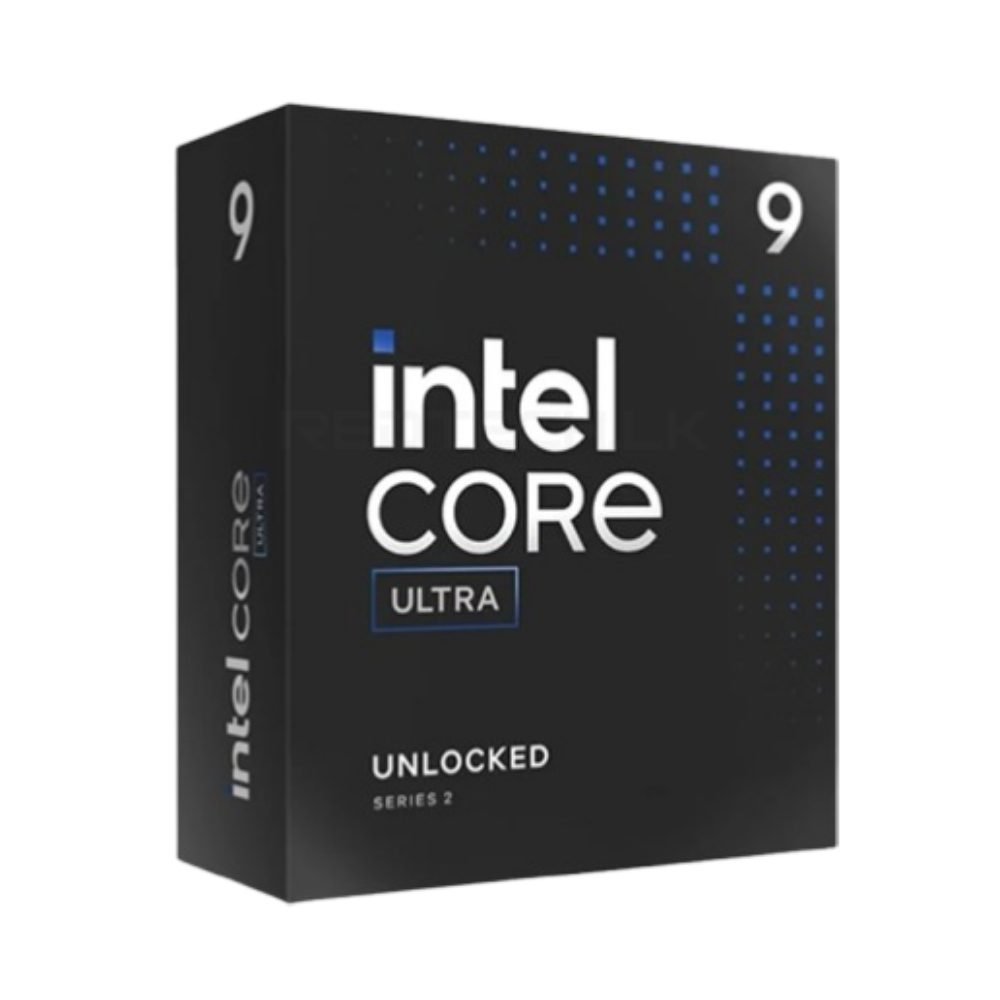
- CPU: Intel Core Ultra 5 225 or Intel Core Ultra 5 235 — excellent gaming processors for modern builds.
- GPU: Zotac RTX 5060 8GB for budget builds or RTX 5060 Ti 16GB for more headroom.
- Motherboard: Browse compatible motherboards at Technodora — always verify socket compatibility with your CPU.
- RAM: 16GB DDR5 dual-channel kit — dual-channel configuration is essential for gaming performance.
- Storage: Redragon Dragon Knight RM113 SSD or any NVMe M.2 drive. More Redragon storage options at Redragon.lk.
- PSU: Quality 650W+ PSU — never compromise on power delivery.
- Cooler: CPU air or liquid cooler — especially important in Sri Lanka’s warm climate.
Step 3: Order from a Reliable Retailer in Sri Lanka
In Sri Lanka, buying from a trusted retailer is crucial. Avoid unverified Facebook sellers who may sell grey-market or second-hand parts. Technodora stocks genuine components with local warranty and fast island-wide delivery. For Redragon peripherals and accessories, Redragon.lk is Sri Lanka’s official distributor.
Step 4: Assemble Your PC
- Install the CPU onto the motherboard carefully, aligning the notch or arrow markers.
- Attach the CPU cooler with thermal paste applied to the processor.
- Slot in RAM sticks — check your motherboard manual for dual-channel slots.
- Mount the motherboard into the case.
- Install the GPU into the PCIe x16 slot and connect power cables.
- Mount your SSD and connect data/power cables.
- Route all PSU cables neatly for good airflow.
Step 5: Install Windows and Drivers
Boot from a USB with Windows 11. After installation, download your GPU drivers (NVIDIA GeForce Experience), motherboard chipset drivers, and any peripheral drivers. For Redragon peripheral software, visit Redragon.lk.
Ready to build? Head to Technodora.lk for all your components with island-wide delivery across Sri Lanka!
📖 Related Guides for Sri Lankan PC Buyers
- Best Gaming PC Build Under Rs. 150,000 in Sri Lanka
- AMD vs Intel – Which CPU for Gaming in Sri Lanka?
- How to Choose the Right PSU in Sri Lanka
- How to Upgrade Your PC RAM in Sri Lanka
Frequently Asked Questions
How much does it cost to build a gaming PC in Sri Lanka in 2025?
An entry-level gaming build capable of 1080p gaming starts at around Rs. 80,000 to 100,000. A solid 1080p build with an RTX 5060 and Core Ultra 5 processor sits in the Rs. 120,000 to 150,000 range. A high-end 1440p setup with an RTX 5060 Ti costs Rs. 200,000 and above. These figures assume buying all parts new with local warranty.
Is building a PC cheaper than buying a pre-built in Sri Lanka?
Building is typically 15 to 25 percent cheaper than a pre-built of equivalent specifications. You also choose the exact components — no unwanted compromises on RAM speed, PSU quality, or SSD capacity that pre-builds sometimes make to hit a price point. The trade-off is the time required to research, order, and assemble.
How long does it take to build a gaming PC for the first time?
With all parts on hand and a guide to follow, a first-time build typically takes 2 to 4 hours. Experienced builders finish in under an hour. Budget extra time for cable management and troubleshooting if the PC does not POST on the first attempt — which is common and usually a loose cable or unseated RAM.
Do I need special tools to build a PC?
A single Phillips-head screwdriver covers most of the build. A magnetic tip helps prevent dropped screws inside the case. Anti-static precautions — working on a hard floor and handling components by the edges — reduce the small risk of static discharge. No soldering, cutting, or advanced tools are required.
What is the most common mistake in a first PC build?
Not seating RAM fully into the motherboard slots is the most frequent cause of a PC failing to POST on first boot. The sticks require firm, even pressure until both side clips click. Installing the CPU cooler without applying thermal paste is the second most common oversight. Both are easily corrected once identified.


Add comment